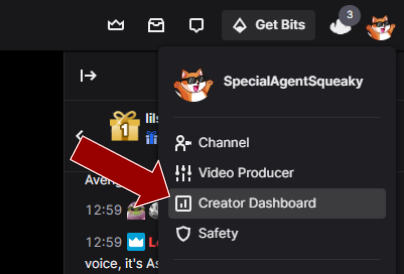
Step 1 - Open Creator Dashboard
The first step is to open up your Creator Dashboard by clicking on your profile picture in Twitch.
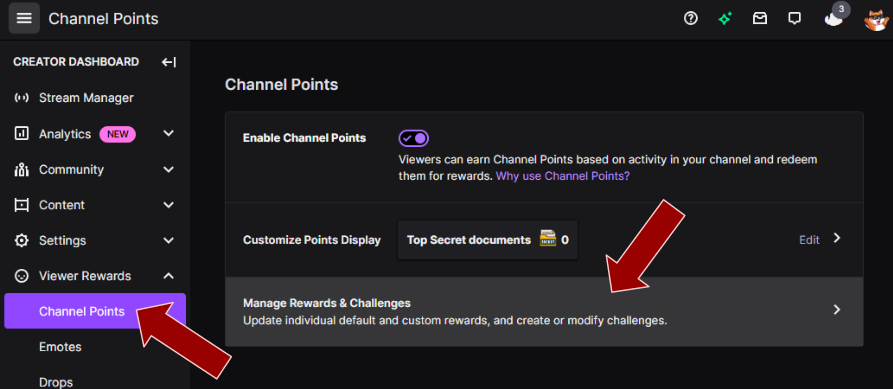
Step 2 - Open Manage Rewards & Challenges
Scroll down to "Viewer Rewards", click on "Channel Points" and then finally click on "Manage Rewards & Challenges".
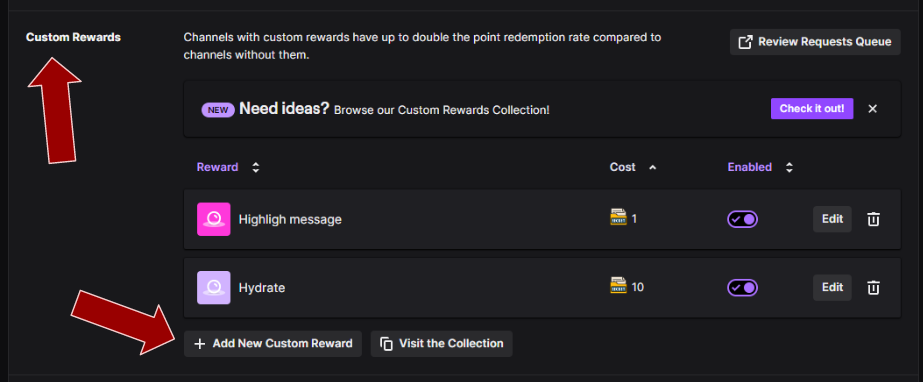
Step 3 - Add a new custom reward
Scroll down to the second section called "Custom Rewards" and then click on the button "Add New Custom Reward".
Step 4 - Add a name and a description
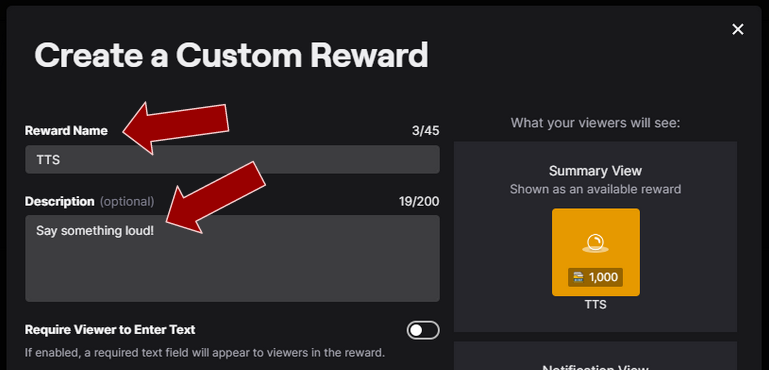
Come up with a suitable Twitch channel point reward name and add a description.
Step 5 - Toggle Require Viewer to Enter Text
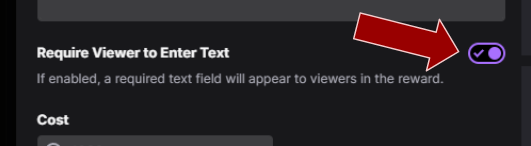
Enable "Require Viewer to Enter Text" if you want the Twitch chat viewer to enter a text that should be read aloud. However, you don't need to if you want to hard code a specific text for the reward.
Step 6 - Add a price
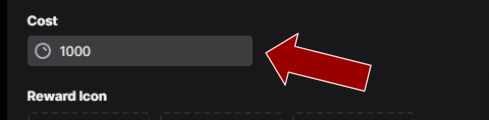
Add an appropriate price.
Step 7 - Skip the reward requests queue
Enable "Skip Reward Requests Queue" so that redemptions are completed automatically and you do not have to manually approve each Text To Speech (TTS) message.

Step 8 - Specify cooldown and limits
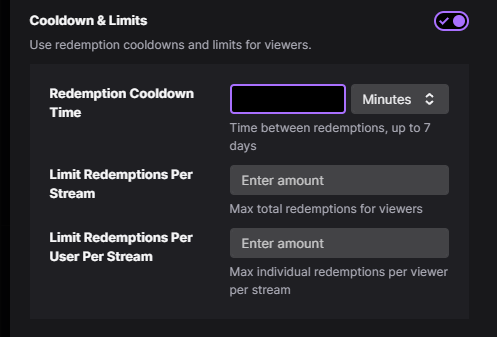
This is not necessary, but most likely you would like to add some kind of cooldowns and limitations so that you won't be spammed with Text To Speech (TTS) messages.
Also note that you can ban certain words in the moderation settings.
Step 9 - Done
You can tweak your Twitch channel point reward as you wish, and as soon as you are done simply press "Create". You can now use your newly created reward with Text To Speech (TTS)!