Step 1 - Copy client URL
First you need to copy the client URL. You can find your browser source URL in your PotatoHotDog dashboard.
Step 2 - Open Custom Browser Docks
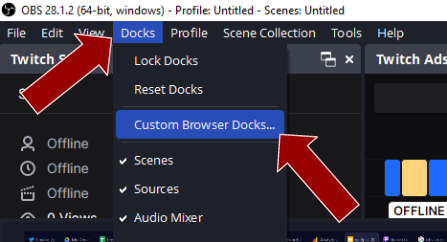
First open up your OBS Studio and then click on the "Docks" menu item and then "Custom Browser Docks".
Step 3 - Add a new Custom Browser Dock
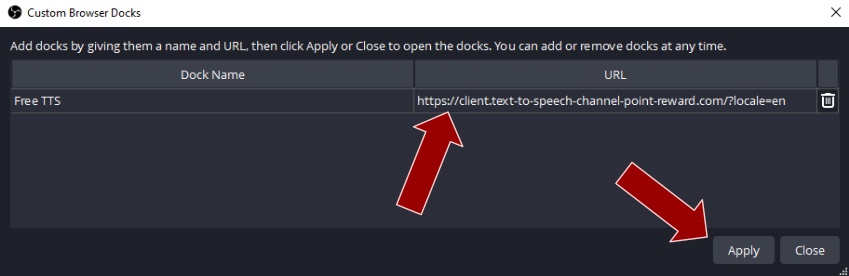
Then add a new Browser Source Dock by entering a name and then pasting in the URL.
Step 4 - Done
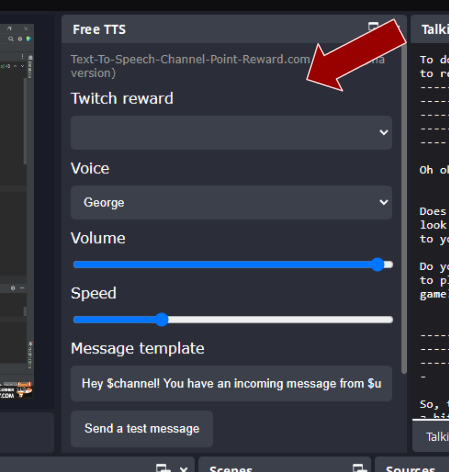
You can now dock and position the new Browser Source Dock anywhere in your OBS Studio, or leave it as a stand alone window, and you will now have the free Text To Speech (TTS) client in OBS Studio!